ClutchClip Android app
Laptop nahi hai? Phone kaafi hai. Stream ka link daalo, moment chuno, layout set karo, aur ready short phone pe hi ban jaata hai. Na Claude Code, na koi AI tool.
Sirf Android · Android 10 ya upar · Play Store pe nahi hai (Google Play aise apps allow nahi karta), isliye seedha yahan se.
Kya chahiye
- Android phone (Android 10 ya upar). iPhone pe nahi chalega.
- Internet (WiFi best hai). App download kareeb 80 MB ka hai.
- Ek email (sign in ke liye, password nahi chahiye).
- Phone mein kam se kam 200 MB khali jagah: app + captions ka model (ek baar) + tumhari clips.
Clipper se ClutchClip: update karo
Pehle se peela Clipper app hai? Toh install nahi, sirf update karna hai. Purana app hatana nahi hai. 1-2 minute ka kaam.
1 Update card pe tap karo
Clipper kholo. Upar laal card dikhega: "New Clipper update…". Neeche ka button bhi Update needed ho jaata hai, isliye update ke bina nayi clip nahi banegi. Peela Download the update dabao.
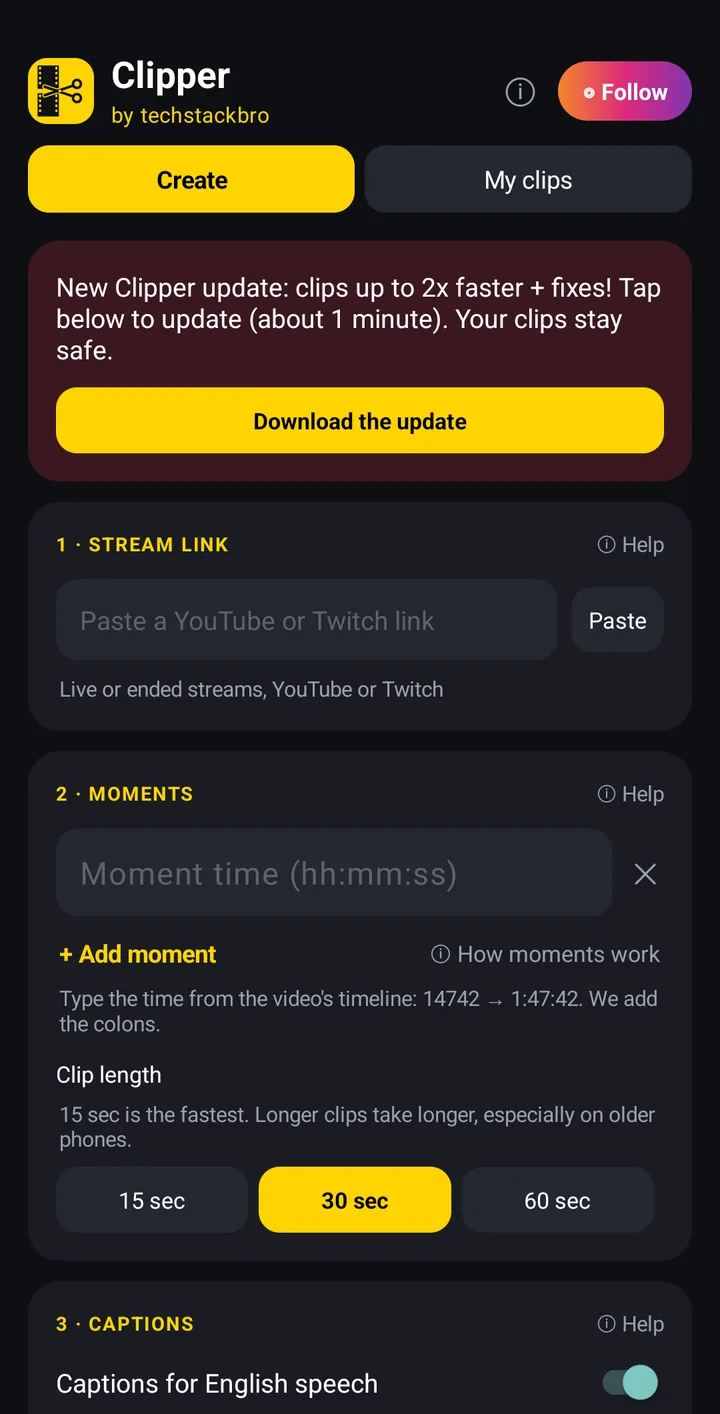
2 Download anyway
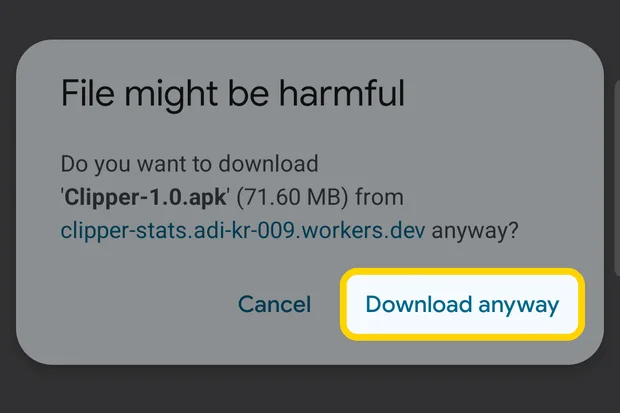
Chrome mein download shuru hoga. Chrome bol sakta hai "File might be harmful". Ye har APK pe bolta hai. Download anyway dabao.
3 APK kholo
Download poora hone pe notification pe tap karo (sabse aasaan). Ya Files → Downloads mein ClutchClip wali APK (jaise ClutchClip-1.2.apk) pe tap karo.
4 Update dabao
Android poochega "Do you want to update this app?", naye lime ClutchClip icon ke saath. Update dabao. "Install" nahi, "update" likha hai, kyunki ye wahi app hai, naye naam ke saath.
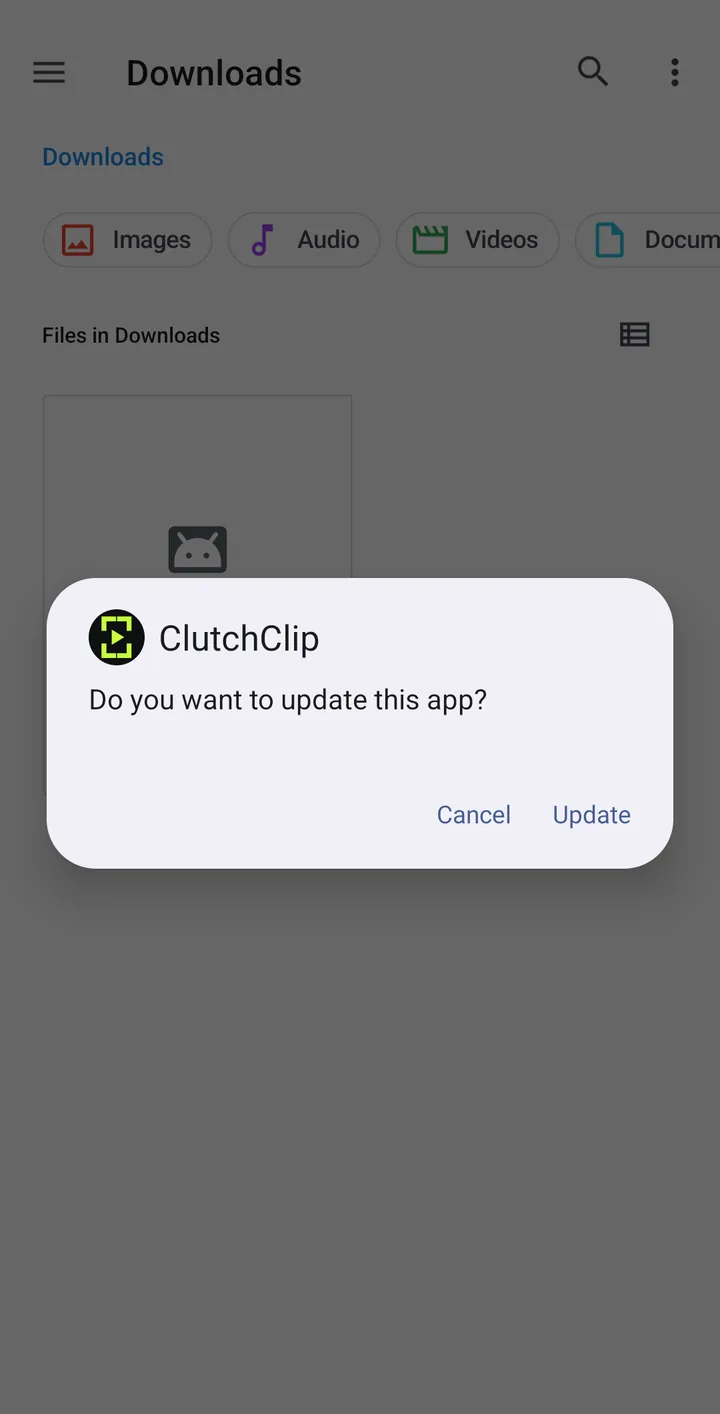
Play Protect ka box aaye toh More details → Install anyway (kuch phones pe Install without scanning).
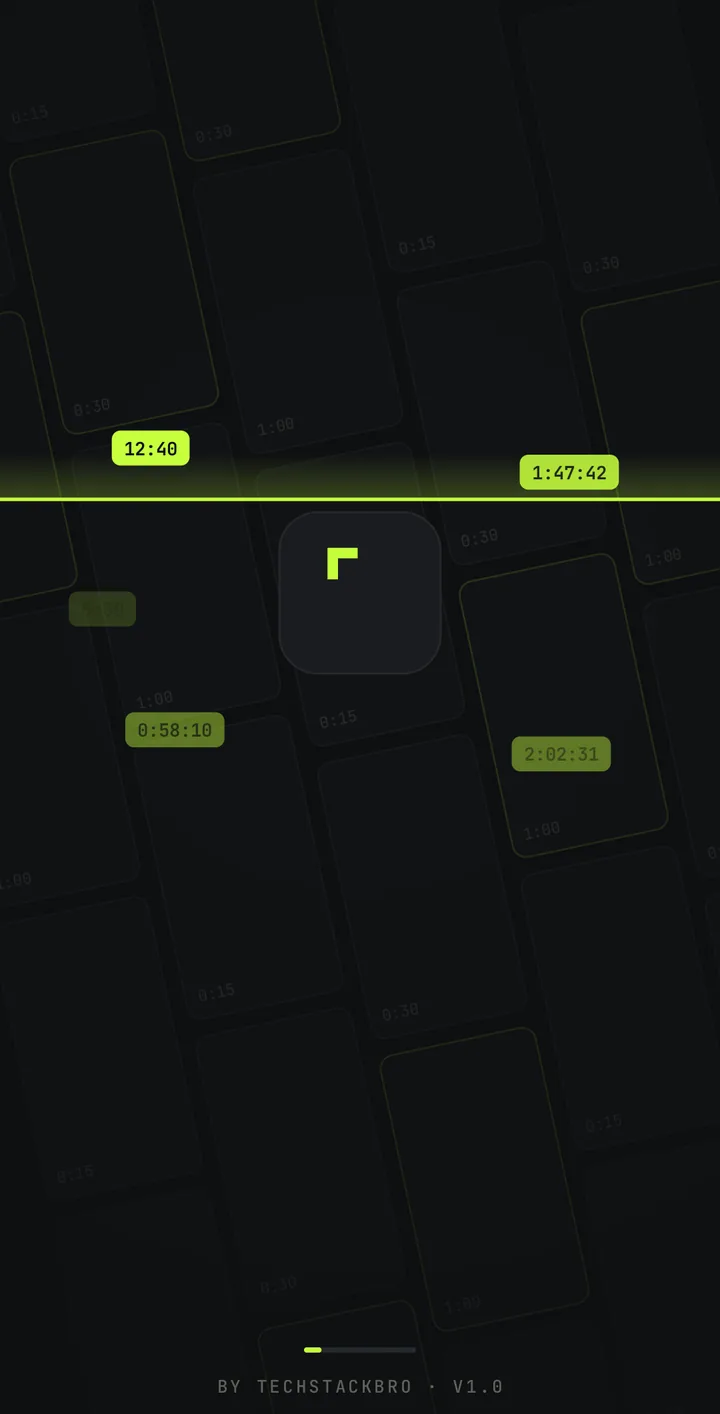
5 Open
"App installed." pe Open. ClutchClip ki splash screen aayegi, phir seedha sign in.
Install karo (ek baar, 2 minute)
Pehli baar le rahe ho? Ye steps tumhare liye. Ye screens Samsung (Android 12) ke hain. Doosre phone pe button ki jagah thodi alag ho sakti hai, naam same hote hain.
1 Download karo
Isi page ko phone ke Chrome mein kholo aur upar wala hara ⬇ ClutchClip app button dabao. Chrome poochega "File might be harmful". Ye har APK pe poochta hai. Download anyway dabao.
2 File kholo
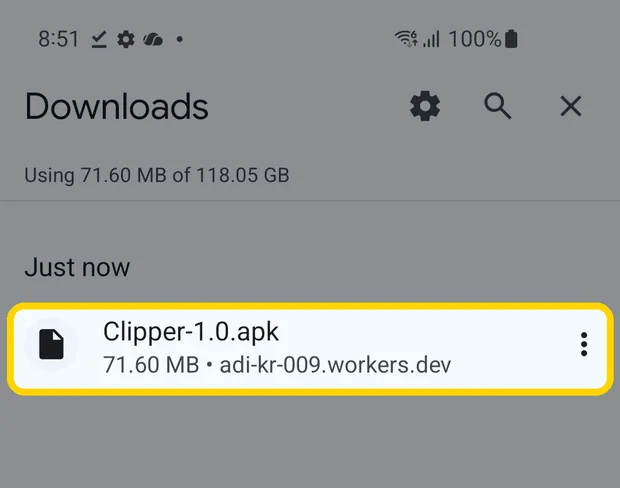
Download poora hone pe Downloads mein sabse upar wali nayi .apk file pe tap karo.
3 Settings dabao
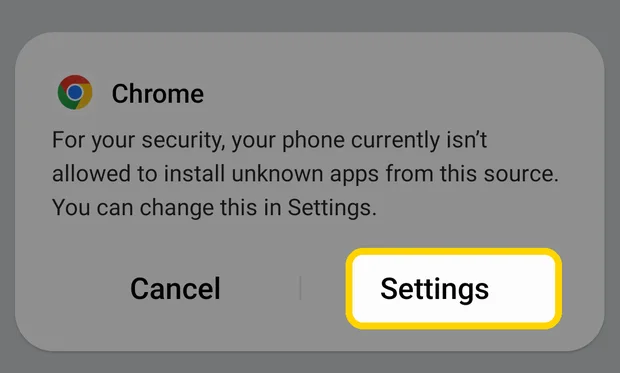
Phone bolega "not allowed to install unknown apps from this source". Ghabrao mat, ye ek baar ki permission hai. Settings dabao.
4 Chrome ko allow karo
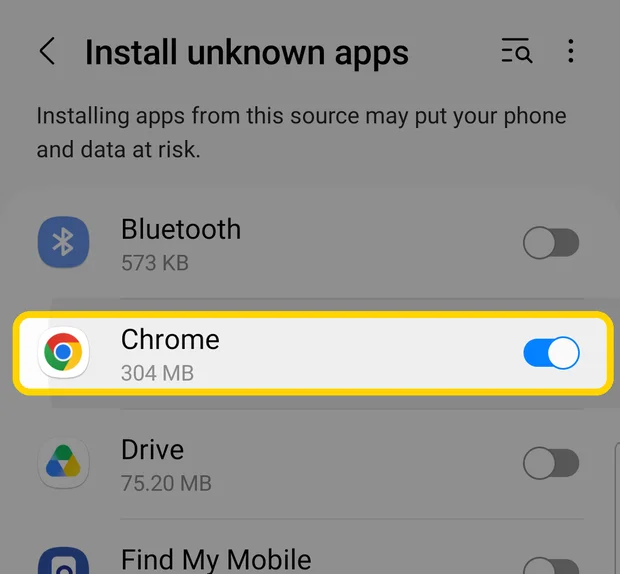
Apps ki list khulegi. Chrome ke saamne wala switch on karo (neela). Phir back (←) dabao.
5 Install dabao
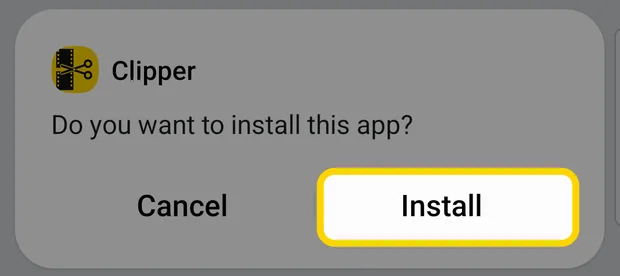
Back aate hi "Do you want to install this app?" aayega. Install dabao.
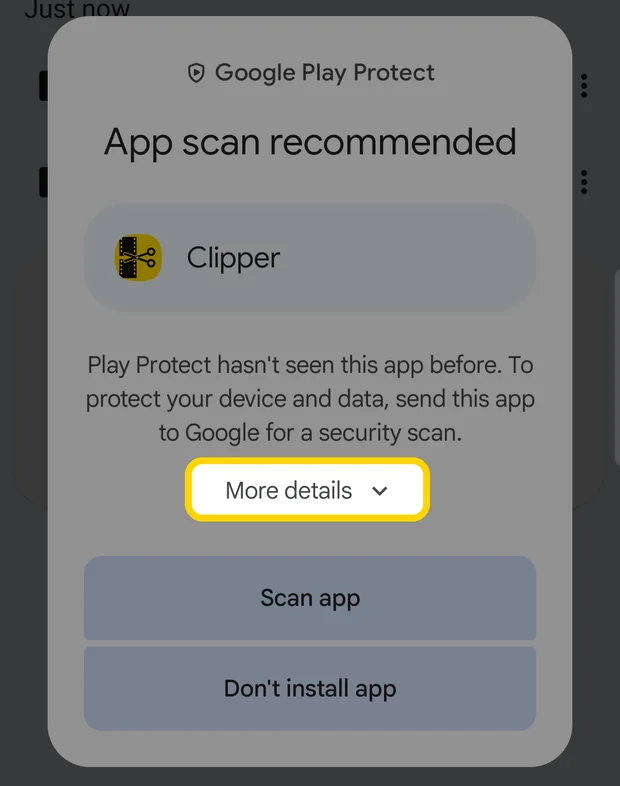
6 Play Protect ka box (zaroori)
Google bolega "App scan recommended", kyunki app Play Store se nahi aaya. Yahan More details dabao.
Ab Install without scanning dabao.
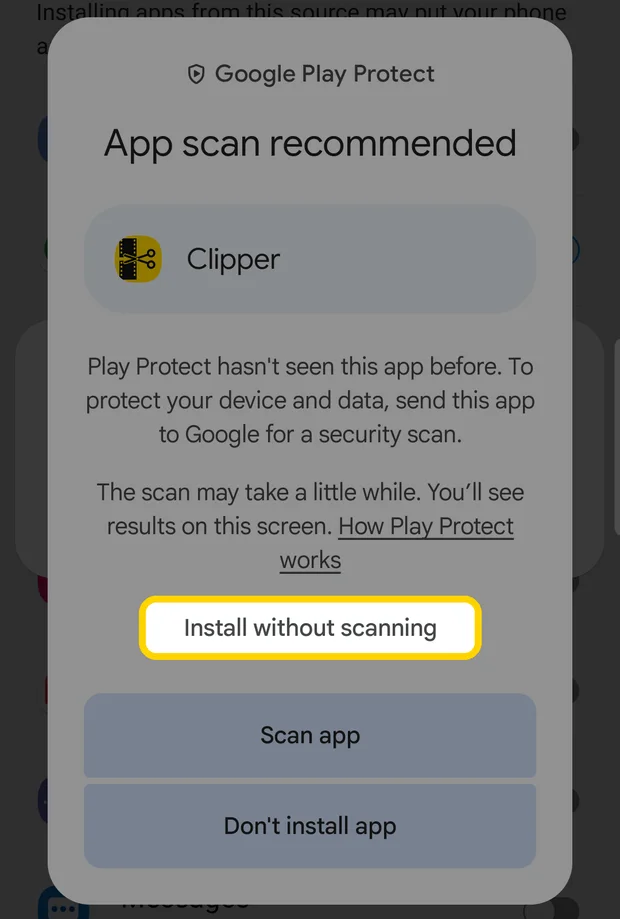
Kabhi kabhi ye box aata hi nahi. Tab seedha step 7.
7 Open
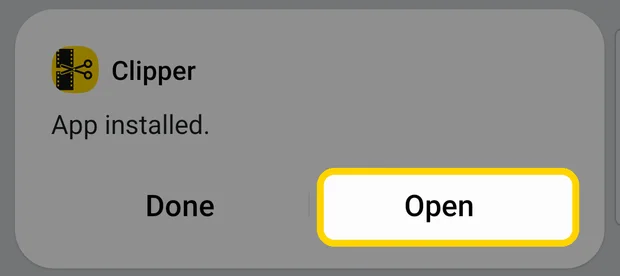
"App installed." dikhega. Open dabao. Bas, ho gaya! Ab app drawer mein ClutchClip milega.
Android 13 ya upar pe notification ki permission maangega: Allow karo, clip ready hone pe bata dega.
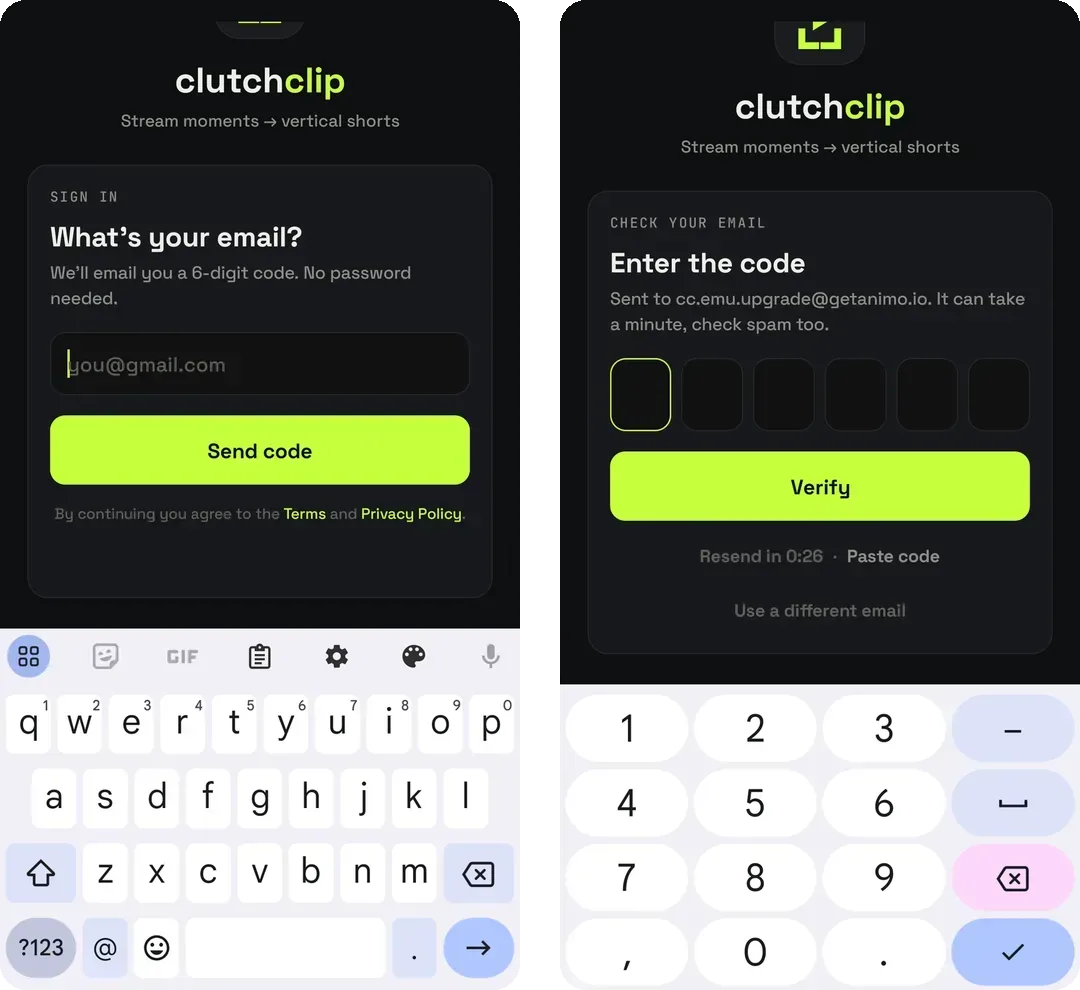
Email se sign in
Update kiya ho ya naya install, app khulte hi yahi screen aati hai. Password ka jhanjhat nahi:
- Apna email daalo → Send code.
- Email pe 6 digit ka code aayega. App mein daalo → Verify. Code nahi dikha? Spam / Promotions folder dekho.
Pehli clip banao (3 screens)
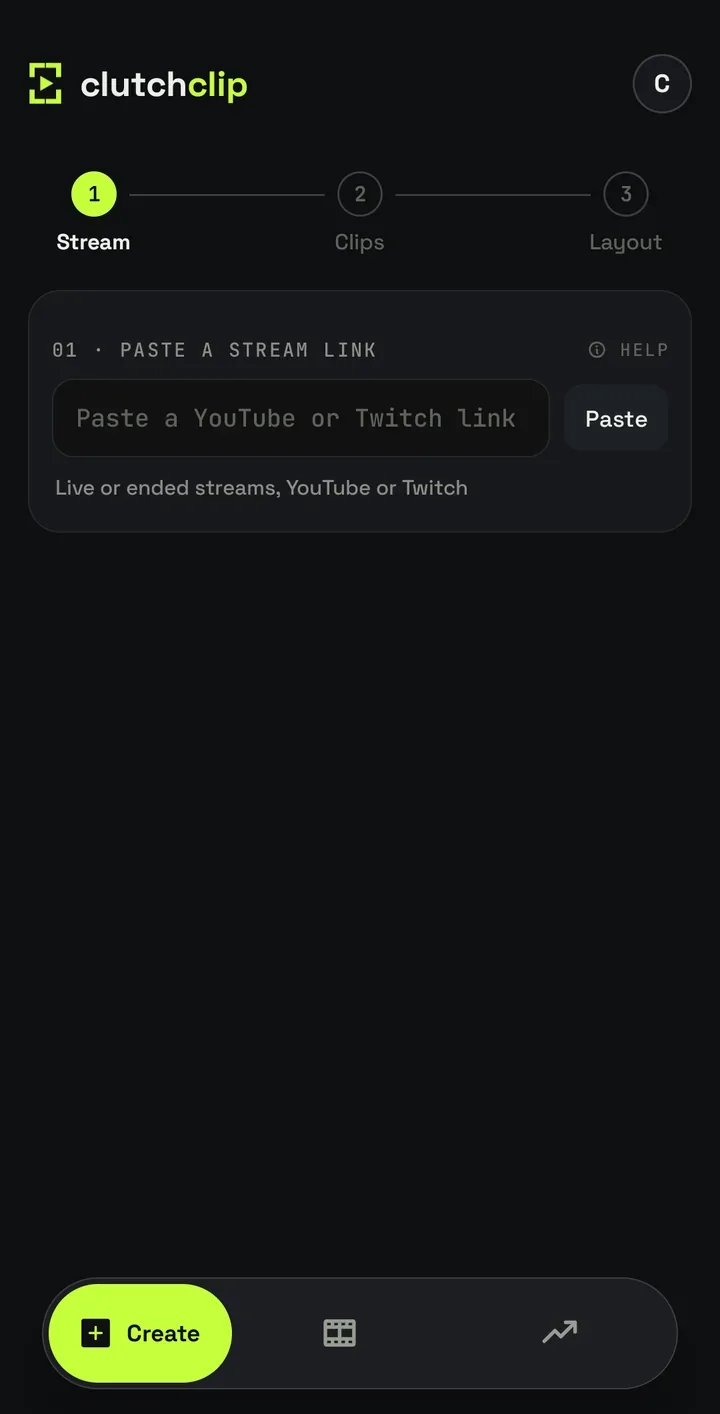
1 ① Stream: link paste karo
Sign in ke baad Create tab khulta hai. YouTube ya Twitch app mein stream kholo → Share → Copy link, phir yahan Paste. Live stream ho ya khatam ho chuki, dono chalega. App khud bata dega stream live hai ya ended.
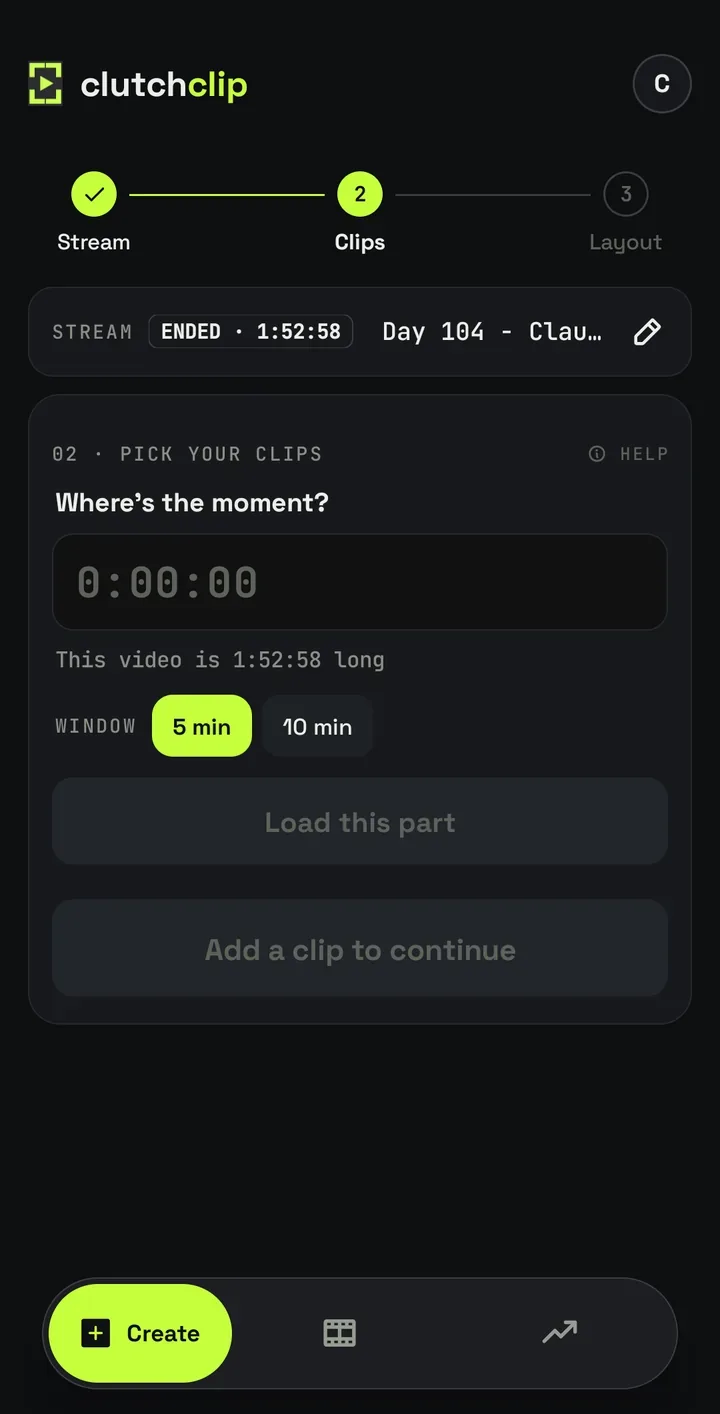
2 ② Clips: moment chuno
Where's the moment? mein wo time likho jahan moment hua. Live stream pe Just now bhi daba sakte ho. Window chuno (5 min ya 10 min) aur Load this part. Us hisse ki timeline aur frames ki strip aayegi. Handles kheech ke clip ka start aur end set karo, phir Add clip. Aur moments? Dobara chuno, Add clip: ek baar mein kai clips.
3 ③ Layout: style chuno
Captions on/off yahin hai (English baat pe, word by word, phone pe hi banti hain). Phir 7 styles mein se ek layout chuno: Split, Circle cam, Game only wagairah. App tumhari clip ke ek frame se khud GAME aur CAM (streamer ka face) ke box laga deta hai. Galat jagah lage? Box ko kheench ke theek karo.
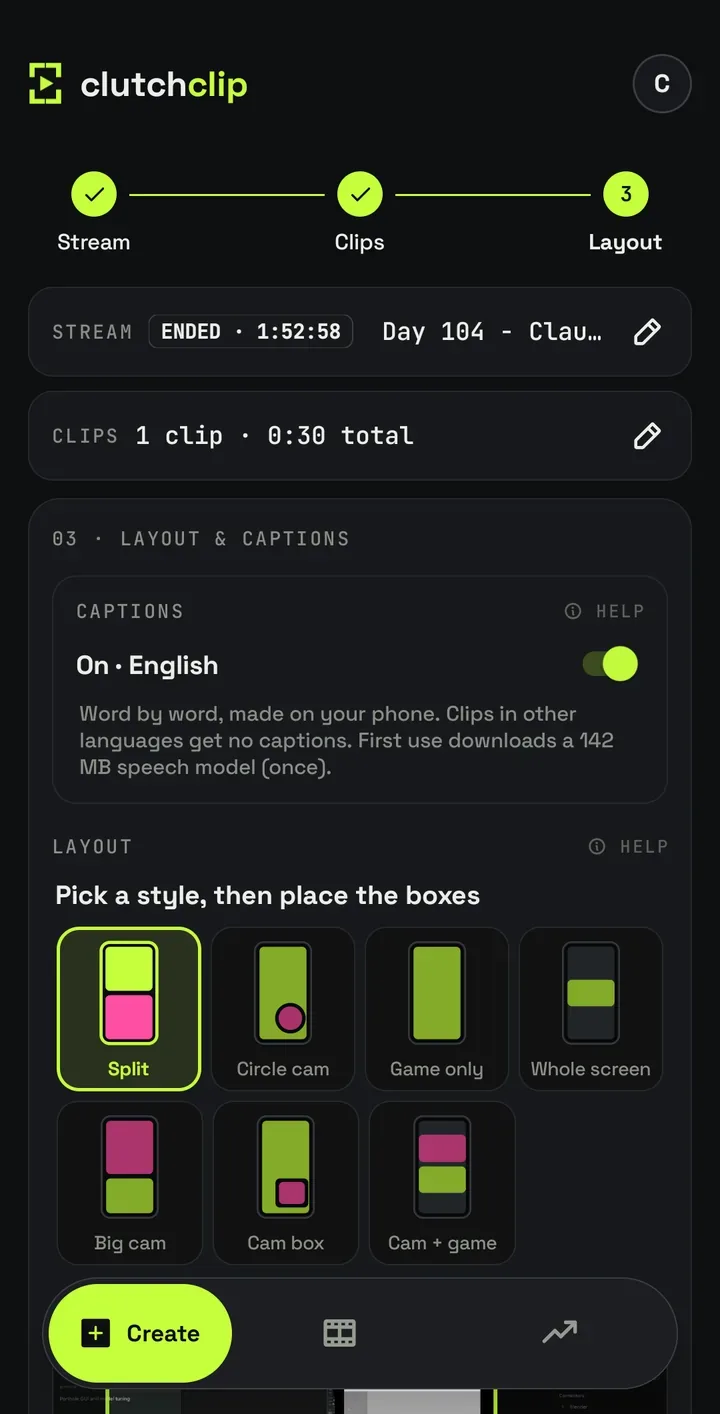
Pehli baar captions on karne pe ek speech model (~142 MB) ek hi baar download hota hai.
4 Captions aur hook text
More options kholo. Do cheezein, dono ka live preview saath mein:
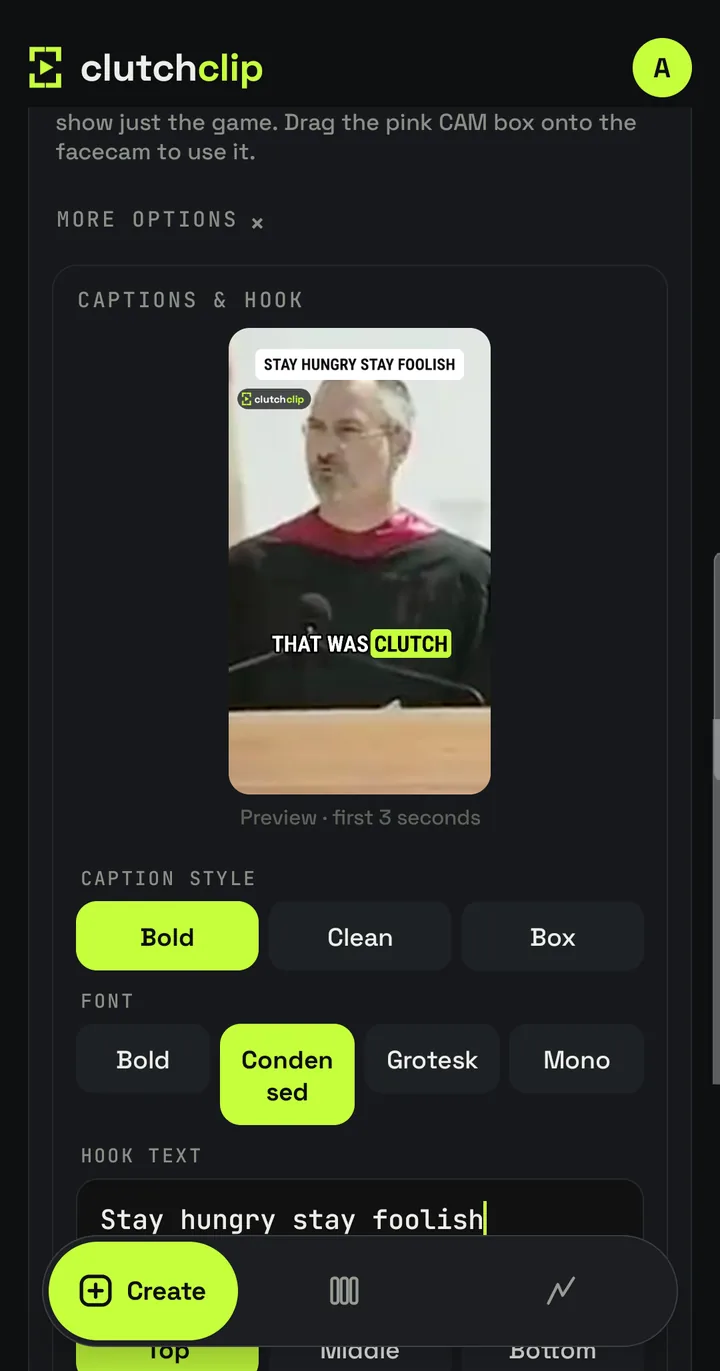
5 Clip it → done, share karo
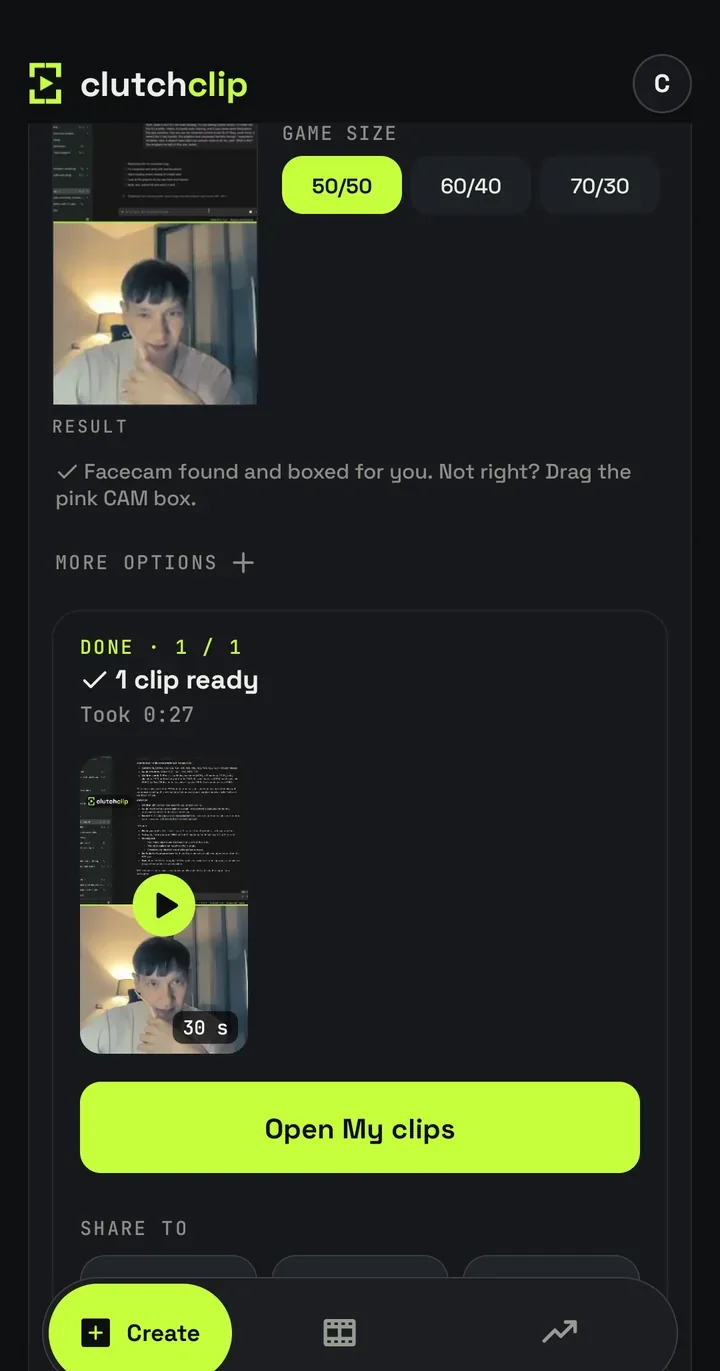
Clip it dabao. Ab app kaam karega, aur pehle se bahut tez: jaise ended stream se 30 sec ki clip ≈ 40 second, Twitch live se ≈ 25 second. App band kar sakte ho, ready hone pe notification aayega. Ho gaya toh Done · 1 clip ready dikhega: Open My clips ya neeche Share to se seedha bhejo.
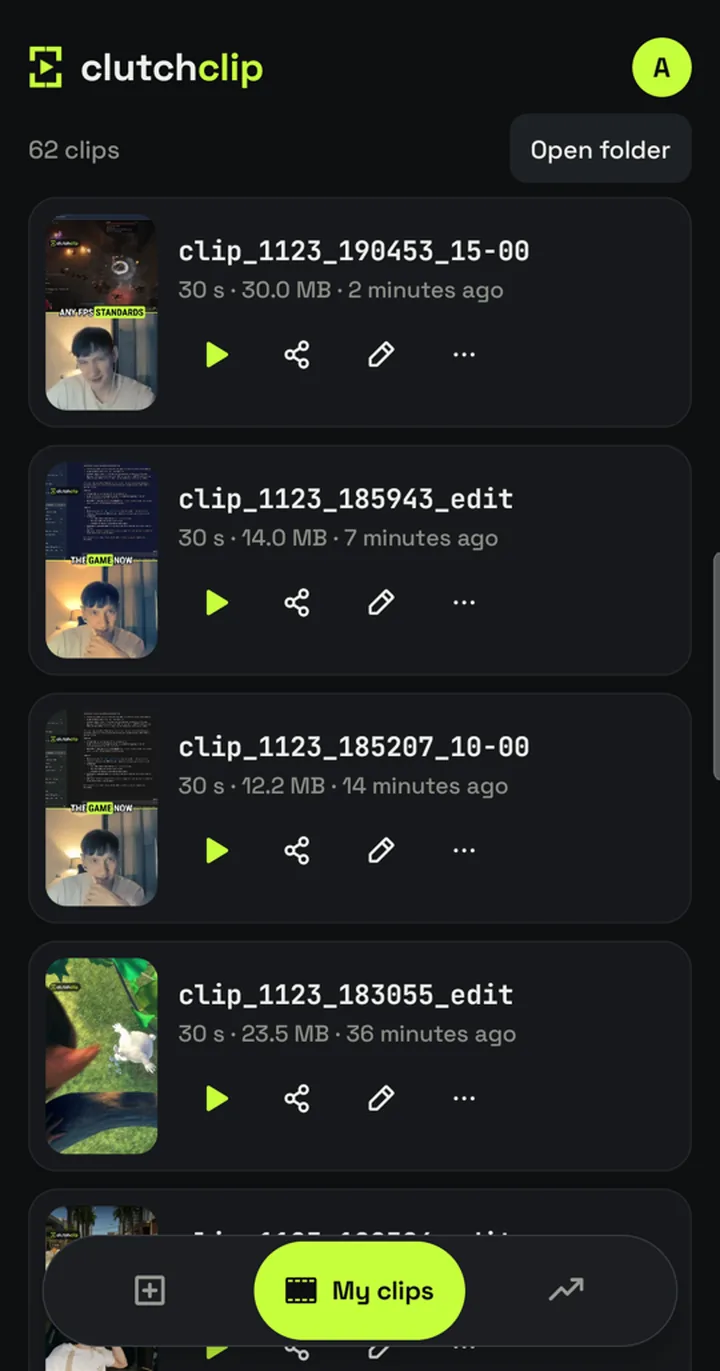
My clips: dekho, share karo, edit karo
Saari clips My clips tab mein. Har clip pe Play, Share (Instagram, YouTube…) aur Edit (pencil). Purane Clipper wali clips bhi yahin hain, bas unpe edit nahi hota.
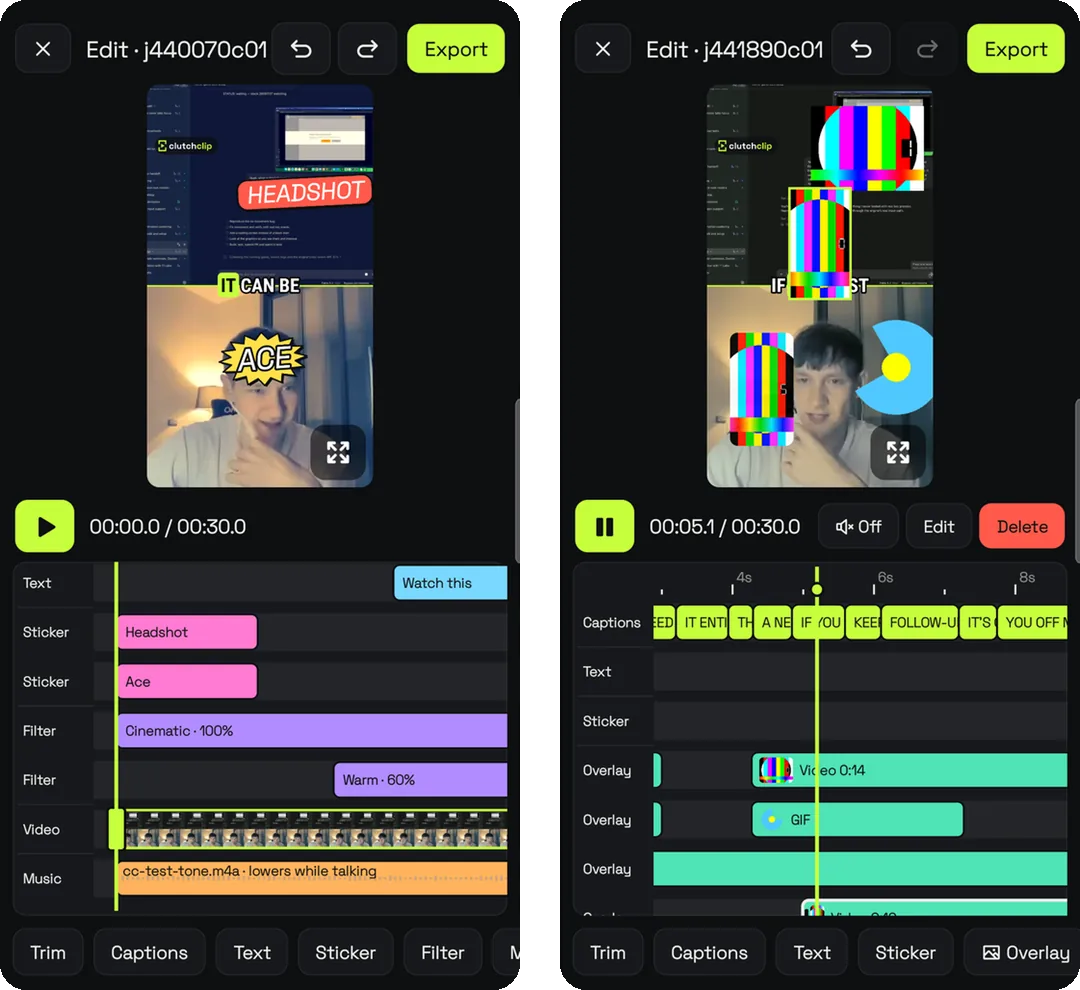
✎ Editor
Edit dabao toh editor khulta hai, har cheez ki apni layer: Trim, Captions, Text, Sticker, Filter, music. Upar apna photo, logo, GIF ya chhota video bhi laga sakte ho (Overlay). Ho gaya? Export.
Trending tab: kya clip karein?
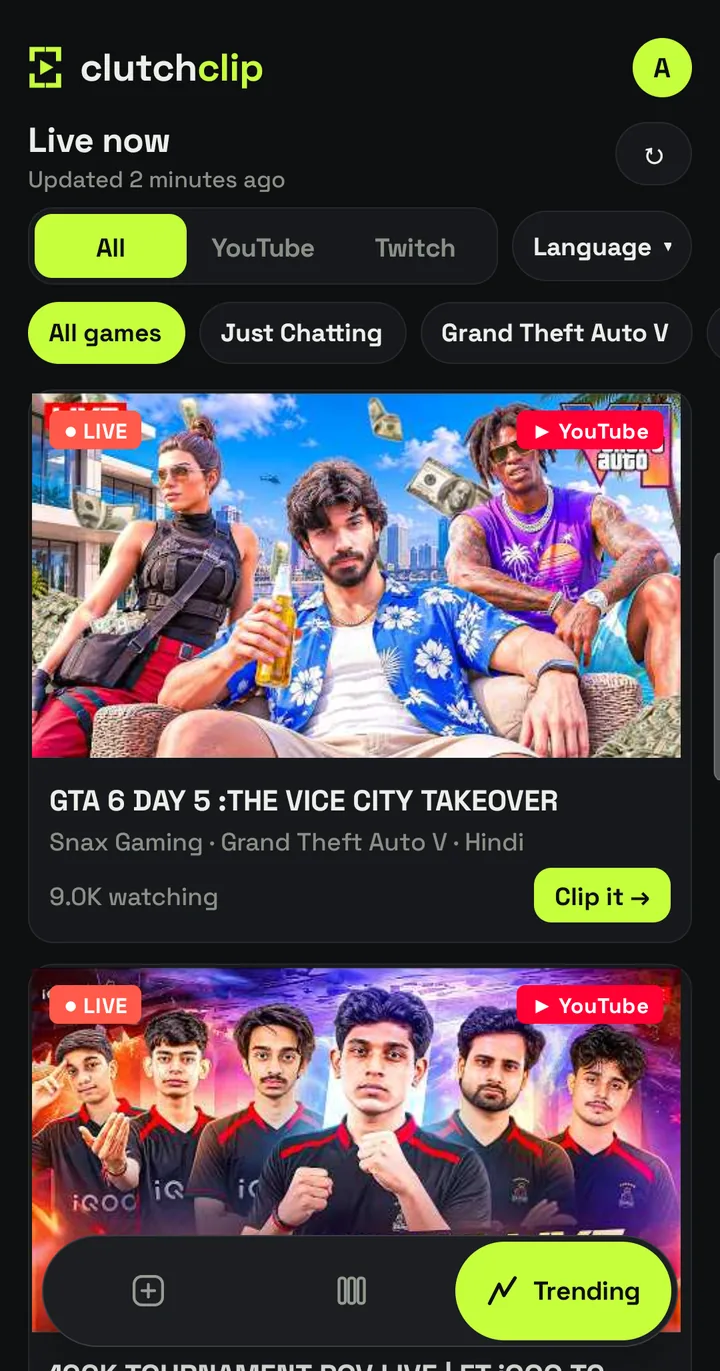
Pata nahi kya clip karna hai? Trending tab kholo. Wahan abhi chal rahi live streams dikhti hain, YouTube aur Twitch dono ki. Platform, game aur language se filter karo, aur Clip it → dabake seedha clip banao.
Galti se kuch nahi hatega
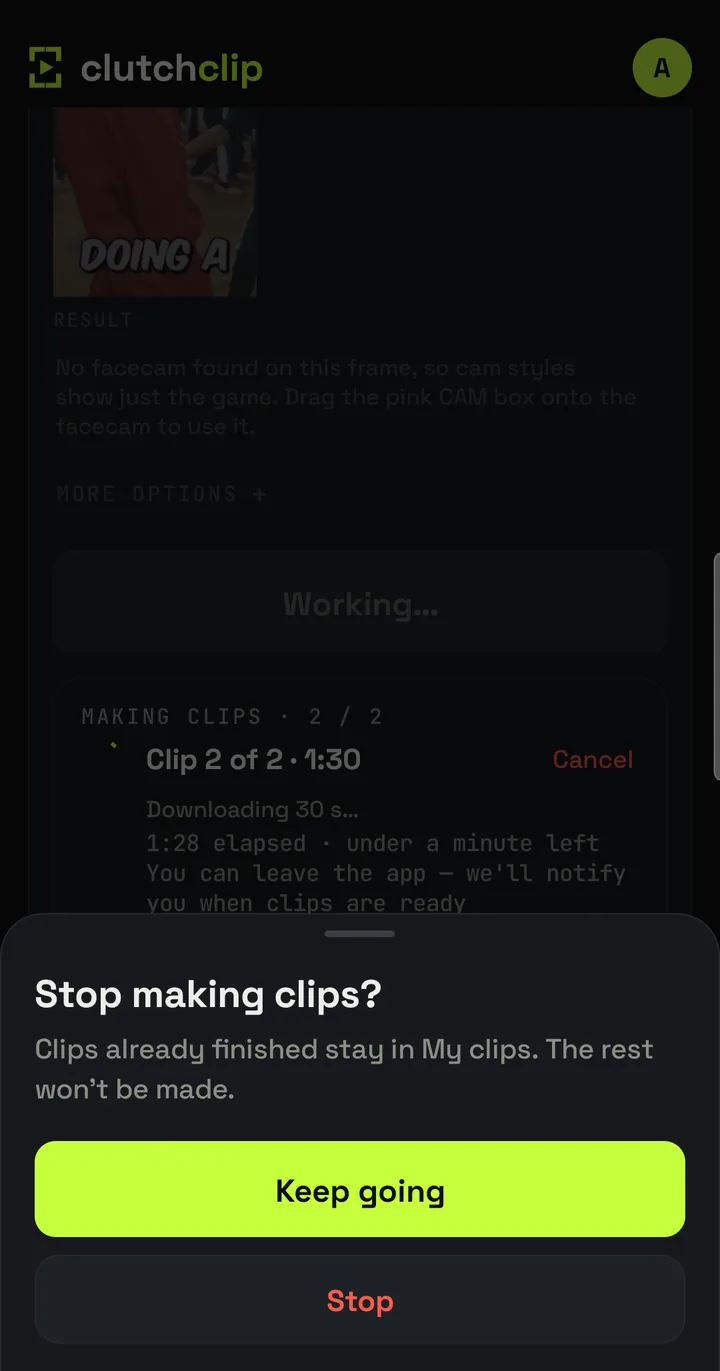
Clip banana roko, clip delete karo ya account delete karo: app har baar pehle poochta hai. Jo clips ban chuki hain wo My clips mein rehti hain.
Sawaal jawaab
Sign in kyun karna padta hai?
Tumhari clips ka hisaab tumhare account se juda rehta hai. Sirf email + 6 digit code, koi password nahi.
Mera video kahin upload hota hai?
Nahi. Video ka saara kaam phone pe hi hota hai, video kabhi upload nahi hota.
"Update needed" aa raha hai / purana Clipper hai, kya karoon?
Naya version (ClutchClip) aa gaya hai. Update 1-2 minute ka kaam hai:
- Download the update dabao.
- Chrome "File might be harmful" bole toh Download anyway.
- APK ko notification se ya Files → Downloads se kholo.
- "unknown apps aren't allowed" aaye toh Settings → Allow from this source → back.
- "Do you want to update this app?" pe Update.
- Play Protect aaye toh More details → Install anyway.
- Open, phir email se sign in.
Purana app hatana nahi hai, clips safe rehti hain (purani settings nahi aati). Chahiye ~80 MB download aur ~200 MB khali jagah: "App not installed" aaye toh pehle jagah khali karo. Screenshots ke saath: update ke steps.
Jaldi fix
- "Nothing was downloaded": time stream ke andar nahi hai. Live pe time check karo ya Just now try karo, ended pe video ka time dobara dekho.
- "Update needed" dikh raha hai: upar update ke steps.
- "try again in a few minutes": YouTube thoda rok raha hai. 5 minute baad dobara.
- Twitch live nahi chal raha: kuch streamers replay save karna band rakhte hain. Tab live clip nahi banegi, stream khatam hone ke baad VOD se try karo.
- Members-only, private ya age-restricted video: nahi chalega.
- Captions nahi aaye: captions sirf English baat pe aate hain.
- Face galat jagah kata: ③ Layout mein CAM box ko kheench ke face pe rakho.
- Code nahi aaya: email ka Spam / Promotions folder dekho.
- "Installing…" pe atak gaya: Play Protect mein Scan app daba diya. Cancel karo, file dobara kholo, aur More details → Install without scanning / Install anyway.
- "App not installed": zyaadatar jagah kam hai (200 MB khali chahiye). Phir bhi aaye toh file poori download nahi hui: Downloads mein purani .apk files delete karo, ye page Chrome mein kholo (Instagram ke andar wale browser mein nahi: upar ⋮ → Open in Chrome) aur dobara download karo.
- "Package appears to be invalid": file kharab download hui. Upar wala tareeka, Wi-Fi pe.
- Install nahi ho raha: Android 10 se purana phone hai, ya Install unknown apps mein Chrome on nahi kiya.
Sach baatein
- Video ka saara kaam (download, layout, captions, edit) phone pe hi hota hai. Video kabhi upload nahi hota.
- Sign in sirf email + code se, koi password nahi.
- Captions abhi sirf English.
- App anonymous usage stats Google Firebase Analytics se bhejta hai (koi link, video ya naam nahi, advertising ID bhi nahi). Details Privacy policy mein.
- Sirf unki clips banao jinki permission ho. Credit hamesha do.
follow karo @techstackbro 👀